
In an IT crisis right now?Cyberattack, outage or compromised account.

DITC · FREE CYBERSECURITY GUIDE

Protect yourself and your business from cyberattacks.

A free five-page guide with actions you can take today. Secure your accounts, recognize suspicious messages, protect your devices and prepare a recovery plan.
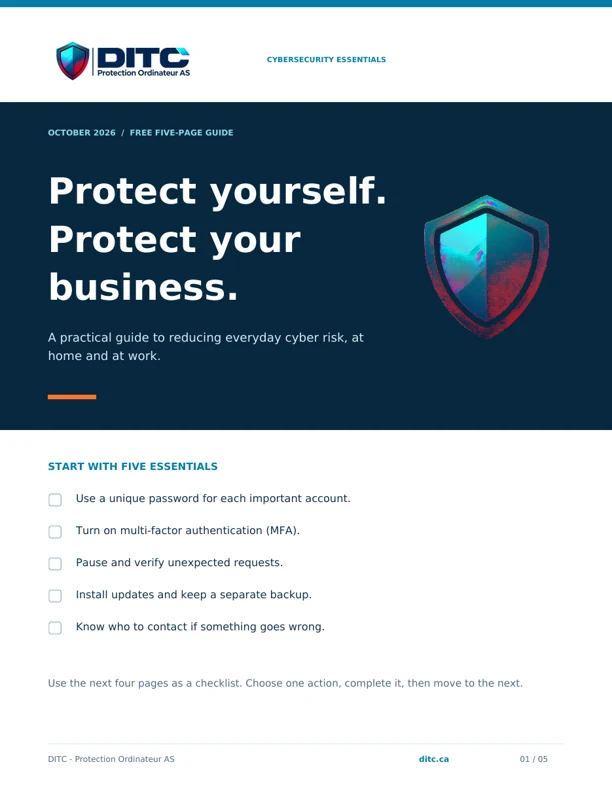
Free cybersecurity guide

OCTOBER 2026 EDITION

Five pages. Practical actions.

Save it for your next security check or share it with your team. The PDF includes practical checklists, a place to record your backup test, and links to official Canadian guidance.

No email or registration required. General education; adapt the actions to your devices and workplace policies. No checklist can eliminate every risk.

Inside the guide

  1. 01

    Start with five essentials

    A quick checklist to choose your first actions.

  2. 02

    Protect your accounts

    Unique passwords, MFA and a pause before responding to suspicious messages.

  3. 03

    Secure your devices and Wi-Fi

    Updates, supported software and safer access.

  4. 04

    Keep a recoverable copy

    Separate backups and a practical restoration check.

  5. 05

    Act if something goes wrong

    Contain the problem, use a trusted device and get help.

Written by DITC using guidance from the Canadian Centre for Cyber Security and Get Cyber Safe. Sources are linked in the PDF. This independent guide is not a government publication.

SUPPORT & QUOTES

Tell us what needs fixing or building.

Request a quote

URGENT SUPPORT

Cyberattack or outage?
Call for support.

Call for a compromised account, suspicious activity or an outage. We confirm availability, scope and fees before work.

Call 514 970-5667Email support@ditc.ca

Tell us which systems are affected, when the issue started and how to reach you. Do not send passwords or sensitive data.

Privacy

Protection Ordinateur AS, operating as DITC, receives your name, email, company, service choice and message when you submit the form. We use this information to handle your request. The form uses Google reCAPTCHA to prevent bots and abuse; Google may process technical data, including your IP address, browser and interactions, and use a security cookie. AWS hosts the website and processes form and email delivery; data may be processed outside Canada. No advertising or analytics tools are active. The request assistant prepares the form in your browser. Your answers are not sent during this preparation. When you move to Contact, a temporary draft is kept in this tab. It expires after 30 minutes and is removed after the form is filled. Closing the tab clears this draft. You review the form before sending it. An essential six-month cookie remembers your optional-cookie choice. That choice does not disable form security. You can also contact us directly by telephone or email. For questions about your information, its retention, or an access or deletion request, contact andrei.suba@ditc.ca. AWS uses the IP address to restrict access to Canada and the United States, filter attacks and suggest French in Quebec. An essential six-month cookie remembers a language selected manually. These features do not track visitors for advertising.

Read the full policy

Google reCAPTCHA

andrei.suba@ditc.ca

Website terms

Displayed prices are reference prices in Canadian dollars, before taxes and extras. They do not replace a written quote. Inventory, licenses, support hours, service levels, onboarding and exclusions are specified in each engagement. An email inquiry does not confirm acceptance of work or a response time. To discuss an engagement, contact andrei.suba@ditc.ca.